
Voloco: Auto Vocal Tune Studio
Resonant Cavity Inc.Music & Audio
4.620.74K Reviews
- Version
- Varies With Device
- Installs
- 50.00M
- Age Rating
- Teen
Screenshots
Our Review of Voloco: Auto Vocal Tune Studio
 Analysis by Appyee
Ever wanted to channel your inner pop star and drop some killer tracks without needing a fancy studio setup? Well, Voloco: Auto Vocal Tune Studio might just be your new best friend. I recently took it for a spin, and I’m here to give you the lowdown on everything from its features to the overall experience.
The Basics of Voloco
So, what’s the deal with Voloco? It’s an app designed to bring a professional music studio right to your fingertips. It cleverly combines auto-tuning, harmony, and vocoding, making it perfect for both budding musicians and seasoned pros. Whether you're trying to nail that pitch-perfect note or add some flair to your vocals, Voloco’s got you covered.
Getting Started
Jumping into Voloco is as smooth as a well-tuned melody. The app is available for both Android and iOS, so no matter your device preference, you’re good to go. Upon opening the app, you’re greeted with a sleek, intuitive interface that doesn’t overwhelm you with options. It’s all about making music, and Voloco makes sure you dive right into it.
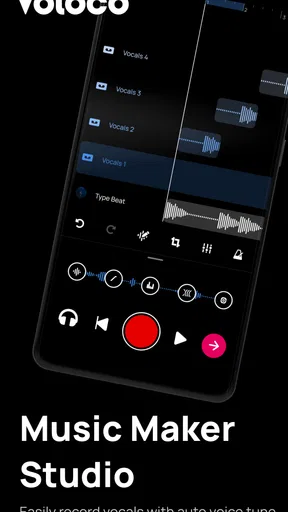
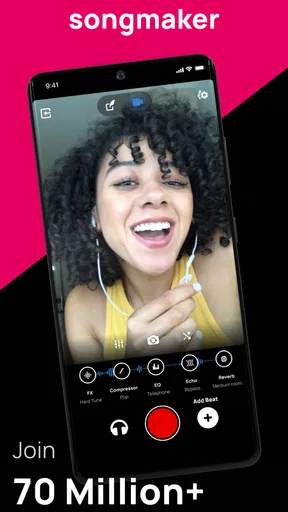
To get started, you simply select a beat from their library or import your own track. Then comes the fun part—recording your vocals. The app provides real-time tuning, so you’re hearing your voice in its polished, studio-ready form right as you sing. It’s like magic!
Features That Shine
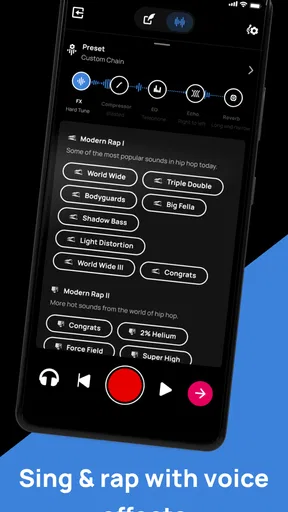
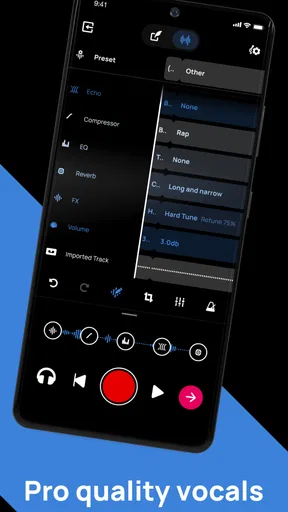
What really makes Voloco stand out is its range of features that cater to a variety of musical needs. The app offers a host of vocal effects, each designed to give your recordings a unique touch. From subtle pitch correction to dramatic voice transformations, it’s all there.
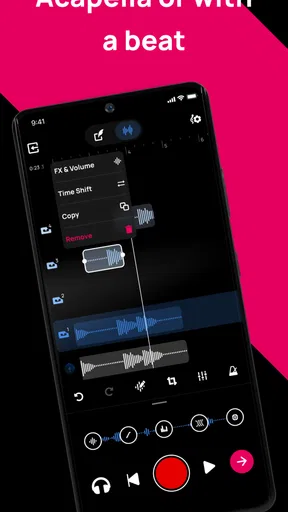
- Harmony: Want to add some depth to your chorus? The harmony feature lets you layer your vocals, creating a full-bodied sound.
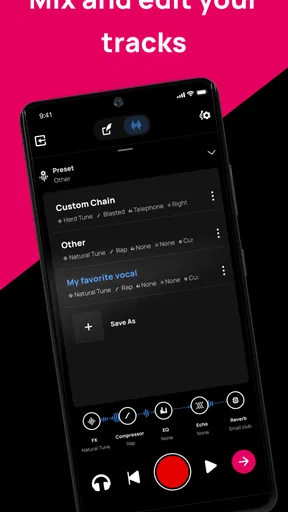
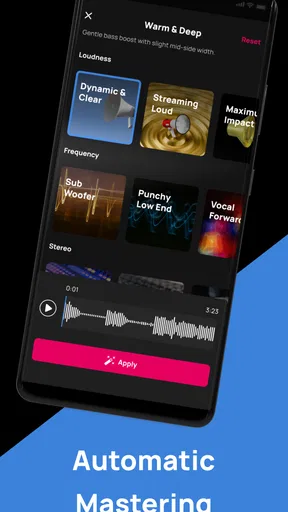
- Mixing: Fine-tune your tracks with a mixing panel that offers control over reverb, equalization, and more.
- Preset Packs: Choose from a variety of preset effects and styles to suit your musical genre, whether it's hip-hop, R&B, or EDM.
Performance and Usability
One of the things I really appreciated about Voloco is its smooth performance. There’s no lag, and the real-time processing is impressively quick. Even on a mid-range smartphone, the app runs without a hitch. The user interface is clean and straightforward, so you spend more time making music and less time figuring out how to use the app.
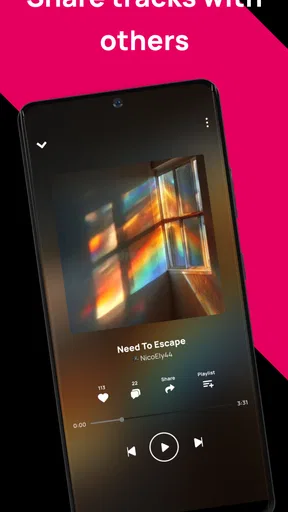
The app also supports exporting your creations effortlessly. Once you’ve nailed your track, it’s just a few taps to share it on social media or save it to your device. It’s perfect for musicians who want to showcase their work or just share a fun jam session with friends.
Community and Collaboration
Voloco isn’t just about solo sessions. It has a vibrant community element, allowing you to explore tracks created by others. This feature is a fantastic way to get inspired and even find new collaborators. You can listen, comment, and engage with fellow music enthusiasts, which adds a social dimension to the app.
Things to Keep in Mind
While Voloco is a powerful tool, it’s worth mentioning that the free version comes with some limitations. To unlock all features, you might want to consider the premium subscription. It’s not too steep, and the added capabilities are well worth it if you’re serious about music production.
Also, while the app excels in vocal effects, it doesn’t offer much in terms of instrumental production. So, if you’re looking to create complete tracks with complex instrumentals, you might need additional software.
Final Thoughts
Overall, Voloco: Auto Vocal Tune Studio is a gem for anyone passionate about music. Its user-friendly interface, real-time vocal processing, and creative features make it a must-have for aspiring artists and hobbyists alike. Whether you’re laying down a quick demo or crafting your next hit, Voloco offers a seamless and enjoyable experience.
So, would I recommend giving Voloco a shot? Absolutely! It’s a fun, efficient way to bring your vocal ideas to life, and who knows? It might just be the start of your musical journey. Happy singing!
Verdict
Strengths of Voloco: Auto Vocal Tune Studio
- Easy-to-use interface for beginners.
- Real-time audio processing.
- Wide range of effects and presets.
- Seamless integration with other apps.
- Regular updates with new features.
Limitations of Voloco: Auto Vocal Tune Studio
- Limited free features.
- Occasional bugs in older devices.
- Subscription model can be pricey.
- Requires internet for full functionality.
- Ads in the free version.
Similar Picks in This Category
View All
YouTube Music
Google LLC4.4

Samsung Music
Samsung Electronics Co., Ltd.3.8

Spotify: Music and Podcasts
Spotify AB4.3

JioSaavn - Music & Podcasts
Saavn Media Limited4.3

Lark Player:Music Player & MP3
Lark Player Studio - Music, MP3 & Video Player4.6

StarMaker: Sing Karaoke Songs
SKYWORK AI PTE. LTD.4.3
Frequently Asked Questions
What is Voloco: Auto Vocal Tune Studio used for?
Voloco is a mobile app designed for music enthusiasts and vocalists who want to enhance their singing abilities. It combines automatic tuning and pitch correction with various vocal effects to help you sound your best. The app is popular among users looking to create music on the go, offering a studio-like experience directly on your smartphone.
How does Voloco improve vocal recordings?
Voloco enhances vocal recordings by applying real-time pitch correction and various audio effects. Users can choose from multiple presets to add harmony, reverb, and other effects to their voice. This helps in refining the vocal quality, making it sound professional and polished, even if recorded in a non-studio environment.
Is Voloco suitable for beginners?
Yes, Voloco is beginner-friendly. The app’s intuitive interface and easy-to-use controls make it accessible for users with little to no experience in music production. The app provides tutorials and presets that guide users through the process of recording and editing their vocals, making it a great tool for learning and experimenting with music.
Can I use Voloco for live performances?
Voloco is primarily designed for recording and editing vocals rather than live performances. However, some users may choose to use it in live settings with additional equipment to manage latency issues. It is best suited for pre-recorded content where users can take full advantage of its range of effects and tuning capabilities.
Does Voloco support collaboration with other music apps?
Yes, Voloco supports collaboration with other music apps. It allows users to export their recordings in multiple formats, making it easy to import them into other digital audio workstations (DAWs) or music production apps. This feature enables seamless integration into broader music projects and collaborations with other artists.
